meetings
Make the precious minutes spent in your meetings valuable.

Our Meetings solution
Smart meetings
Our meeting module Smart Meetings is our most advanced meeting module where everything is digitised, down to the individual participant's private notes.
Each item on the agenda is its own object and to the object we link everything from attached documents, delegated tasks, protocol notes, the participant's private meeting notes, etc. Everything to be able to easily implement and follow up what is decided at a meeting.
We believe that if a meeting is worth holding, the meeting must be documented and followed up. Otherwise, you risk partly "throwing money down the drain" and partly creating a meeting culture where the results of the meetings are not valued. It must be easy to read into a meeting (via mobile, tablet or computer) and it must be easy to follow up on what is decided at a meeting so that you lose sight of the implementation of important decisions made.
Standard meetings
Still digital but with a simpler interface and less functionality. Suitable for all maturity levels and budgets.
Standard Meetings
Suitable for all maturity levels and wallets. Invite and sign digitally. Perfect for uploading historical logs so that team keeps track of the history.
Smart Meetings
Everything digitised - right down to private notes on each agenda item for the participants - nothing is left out.
AGM
Digital invitation and registration. Digital attendance control and voting at the meeting. Automatic voter register.
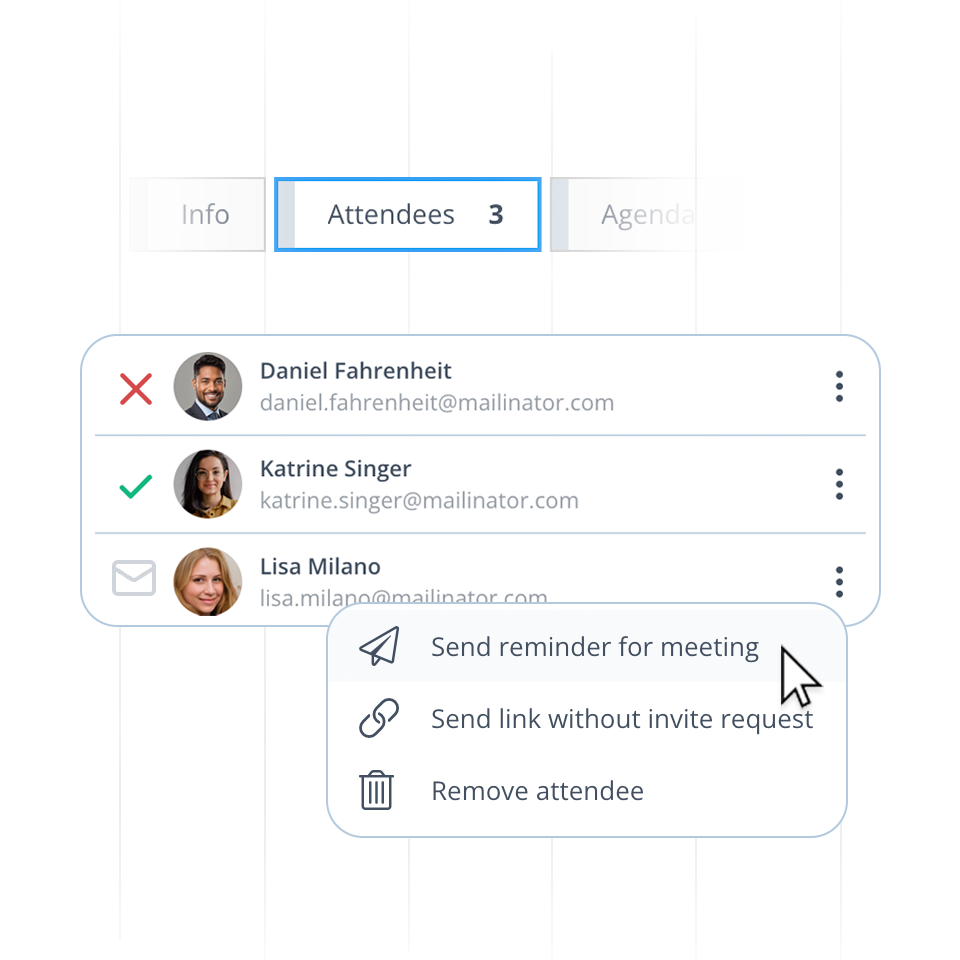
You can invite anyone to your meetings. Be it shareholders, company contacts or employees - they will be available to pick right in the interface.
Once invited, you can track the status on their RSVP, send reminders or manually set their attendee status for them if requested.
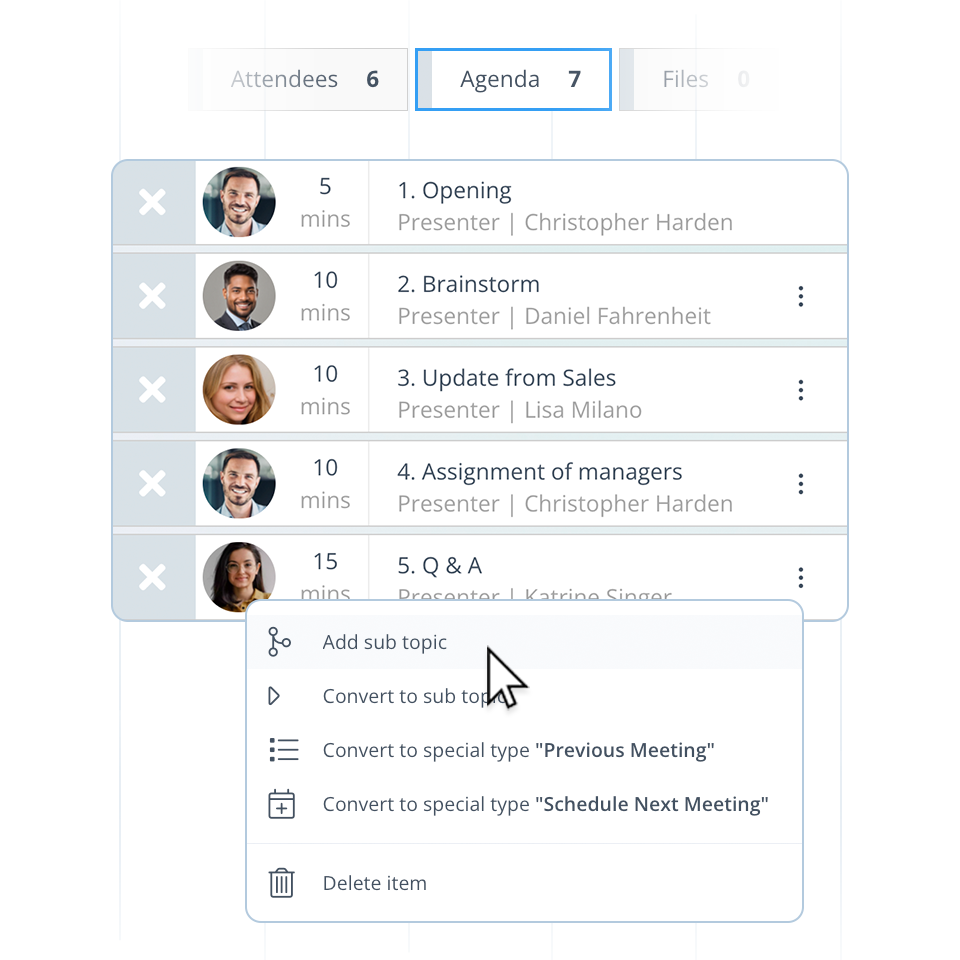
You have full control over the structure of your meeting agenda. Specify who will be presenting, for how long they will be presenting, add notes to each item, and even add sub-topics to dive into for further detail.
Each agenda item can also have file attachments and tasks delegated to them.
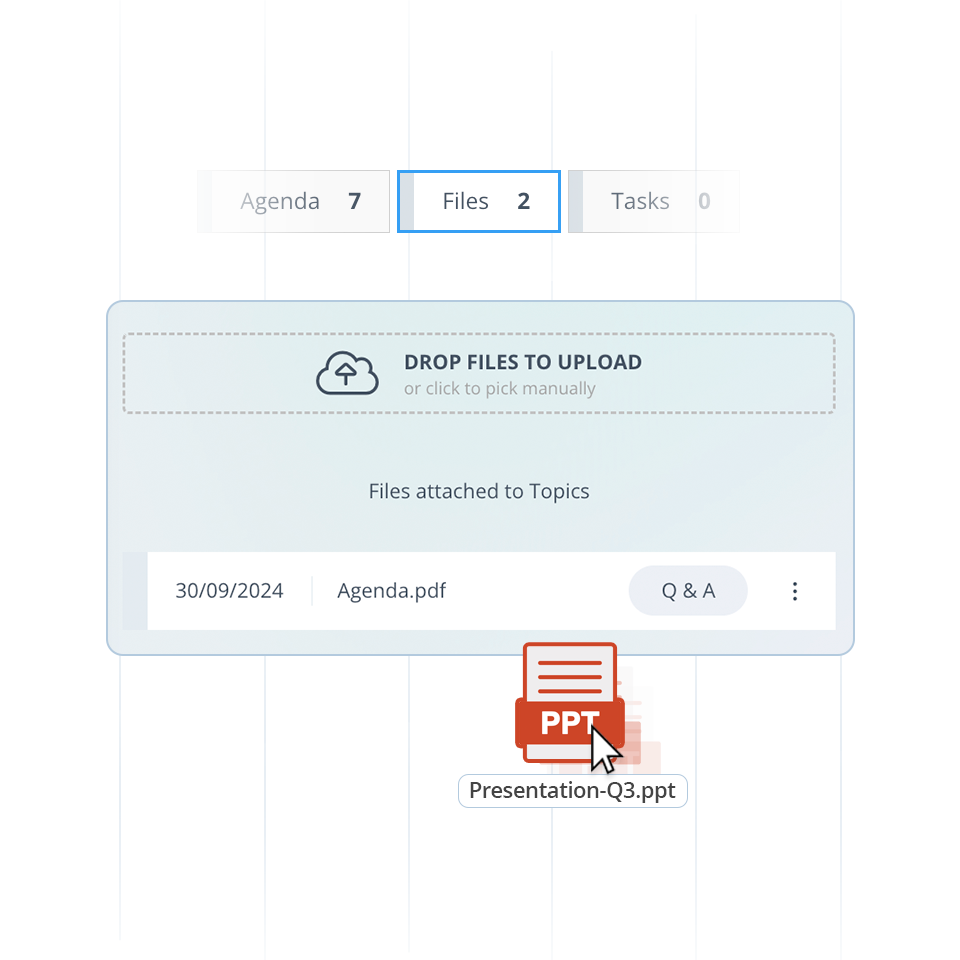
Upload files that may be relevant to the participants of your meeting. You control the visibility on each file, making sure that each participant has access only to the files that are relevant to them.
You also decide which of these files should be included in the final protocol to be generated once the meeting has been held.
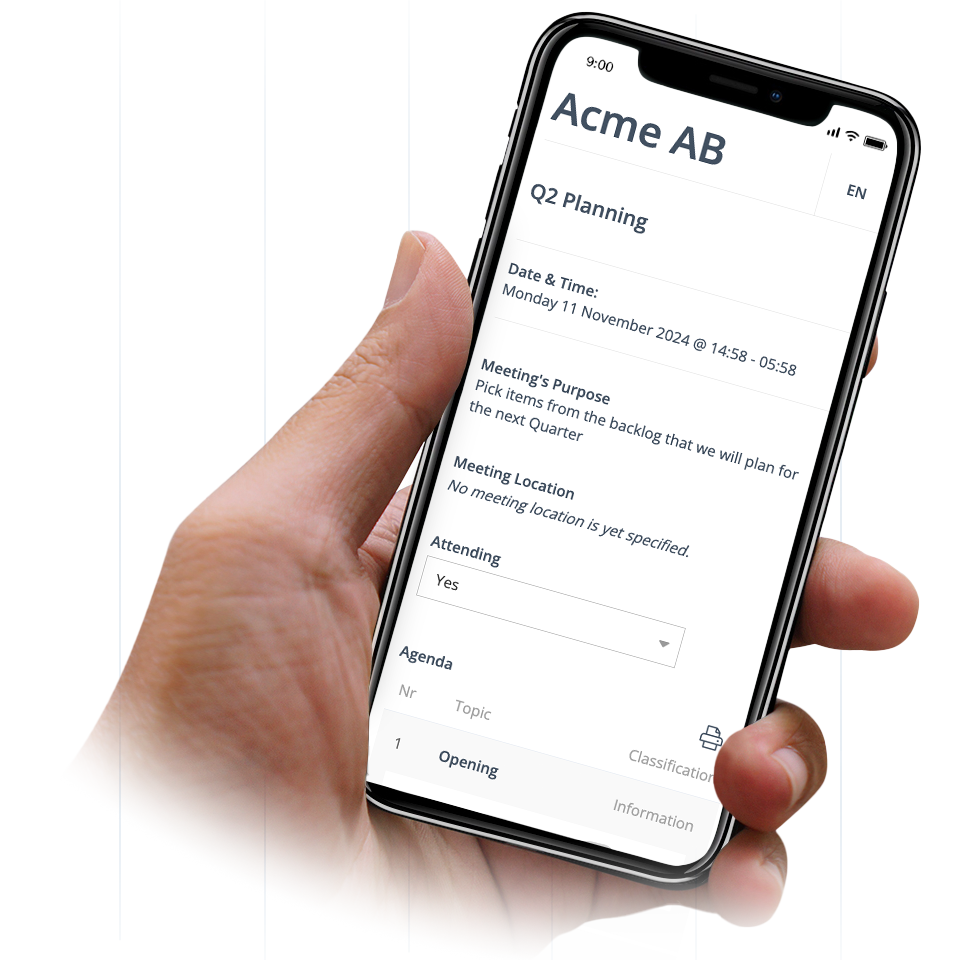
Attendees can prepare and read the meeting material from a phone, tablet or computer.
Here, they can see all the information that has been attached to the agenda, download files attached to the agenda items, print out the agenda, etc.
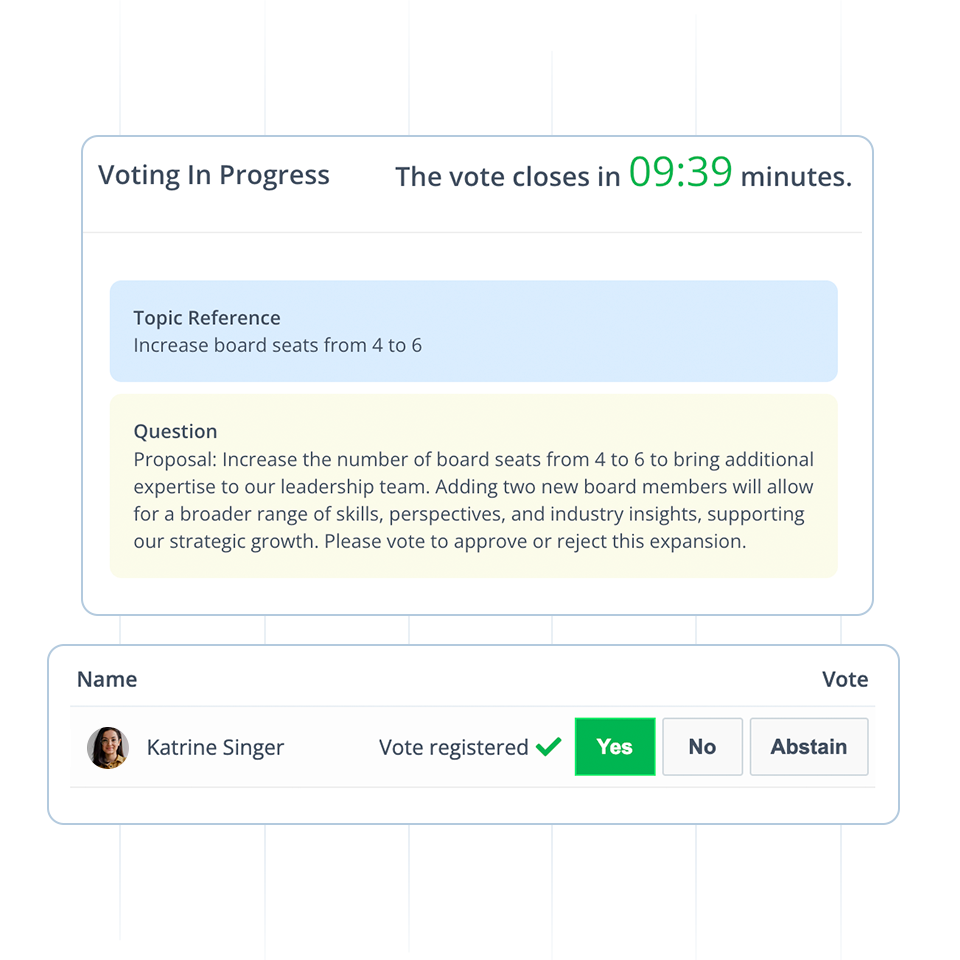
Conduct professional Annual General Meetings with live-voting features, correct attendance registration and more.
Questions about our Meetings solution
Can you e-sign protocols in the platform?
Yes, we have an in-house developed e-signature service that complies with the eIDAS regulations. Both minutes and other documents that are e-signed are accepted by Swedish authorities, among others.
Can you easily manage different roles/permissions?
Yes, you can create an unlimited number of Teams and Members. You then easily connect correct permissions to the respective Teams.
Is there a board evaluation feature?
No, there is no built-in evaluation function in the platform.
Can you create your own meeting templates?
Yes, you can create meeting templates in Smarta Möten with the agenda items that should apply to the different types of meetings you usually hold. You can also add a meeting point called "Next Meeting" which copies participants and meeting points to the next meeting.
What is the price based on?
The price is based on whether you want access to Standard Meetings or Smart Meetings. You also get an extra discount if you pay annually instead of monthly. We have no binding periods, but you can always choose to end your subscription before the next payment is made.
How to conduct a simple meeting in Invono One
Simple Meetings in Invono One are designed for ease of use and accessibility—for all users, regardless of technical skill or company size. It’s perfect for both uploading historical meeting records and running future meetings.
You create a meeting and attach agenda & documents.
Participants receive a link and can easily RSVP.
After the meeting, upload a PDF protocol with or without e-signing.
All meetings are stored and accessible by the team.
Want to run a fully digital shareholder meeting? Choose Shareholders’ Meeting as a meeting type under Simple Meetings.
Why Simple Meetings Work So Well
Works seamlessly on mobile, desktop, and tablet.
Meeting link includes all documentation in one place.
Ideal for board meetings, internal meetings, or record-keeping.
Easy e-signing available for meeting minutes.
Connected team members get automatic access to all records.
What Are Simple Meetings?
Simple Meetings is a feature in Invono One that helps companies conduct professional meetings in a digital, secure, and efficient manner. It suits everything from small startups to large organizations, with an interface that is simple yet powerful.
Step-by-Step: Running a Simple Meeting
Create the meeting
Choose meeting type: Meeting.
Enter details such as title, date, and description.
Upload documents
Add the agenda under Agenda tab.
Upload any supporting material under Attachments.
Invite participants
Select which teams or individuals should be invited.
Each invitee receives a unique meeting link.
RSVP and participation
Participants RSVP via the landing page.
They can review agenda and documents in a user-friendly interface.
Upload minutes (protocol)
Upload a PDF protocol after the meeting.
Optional e-signing feature available.
Meeting is published and archived.
Searchable archive
Participants in assigned teams see all meetings, new and old.
Transparent, compliant and efficient.
Digital Shareholder Meetings
Choose Shareholders’ Meeting as a subtype of Simple Meetings to:
Enable digital attendance tracking
Facilitate real-time voting
Allow BankID or 2FA login verification
Make sure your company bylaws allow digital meetings. If not, Invono can help update them.
Uploading Historical Meetings
To digitize your meeting archive:
Create a new meeting with the original date.
Upload agenda, attachments, and minutes.
You can publish it even if it was e-signed outside Invono.
Share with the relevant teams.
Simple Meetings in Invono One allow companies to professionalize their internal governance with minimal administrative burden.
Want more features? Try Smart Meetings instead. Need help getting started?
Contact Invono – we’ll guide you.
Sign up for free and discover the value in using a simple, yet powerful tool for digitalizing your meetings.